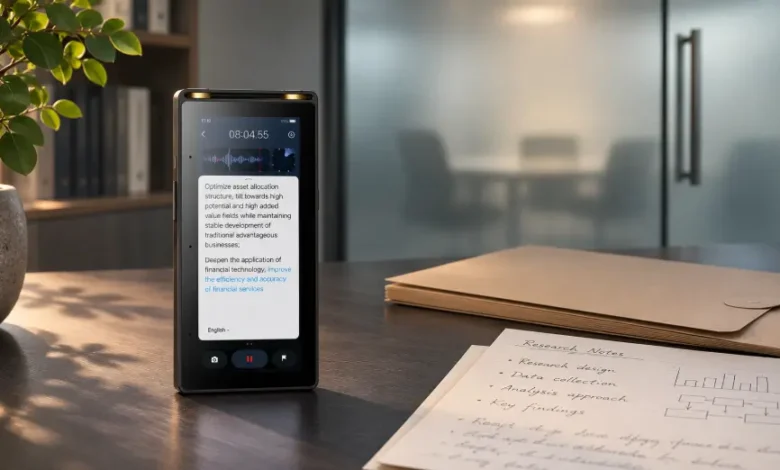
A transcript is convenient because it turns spoken information into text that can be searched, quoted, and reviewed. It can also expose far more than an ordinary set of meeting notes.
Recordings preserve voices, names, side comments, and details that participants may not expect to see outside the room. The transcript makes that information easier to copy and distribute. A sensitive conversation that was difficult to review as a one-hour audio file can become searchable in a matter of minutes.
Offline transcription limits one part of that exposure by processing speech without sending the recording to an online transcription service. It is especially relevant when meetings involve confidential business plans, research participants, legal discussions, unreleased products, or personal information.
It is not a complete security solution. The file still has to be recorded, stored, reviewed, transferred, and eventually deleted.
When an Internet Connection Creates an Unnecessary Risk
Cloud transcription is useful for many everyday meetings. The recording is uploaded, processed on remote infrastructure, and returned as text. That workflow becomes harder to justify when the audio contains information that should remain within a restricted environment.
Consider an internal product meeting held several months before launch. The recording may include pricing plans, supplier names, unfinished designs, and employee comments. Uploading that file introduces another system, account, and transfer process into the information path.
A research interview may contain even more sensitive material. Participants might discuss health, employment, finances, family relationships, or experiences that could identify them. Even when names are removed from the final report, the original audio still contains the participant’s voice and other revealing details.
In these situations, private offline meeting transcription can reduce the need to send source audio to an external service. Processing the file locally gives the user more control over where the recording travels and when additional copies are created.
The word “offline,” however, should be understood precisely. It describes how transcription is processed. It does not guarantee that the finished files will remain offline afterward.
Follow One File Beyond the Record Button
Privacy problems often appear after the meeting rather than during it.
Suppose a researcher records an interview on a dedicated device. The audio remains on that device while the initial transcript is created. So far, no network connection is involved.
The researcher then connects the recorder to a laptop using USB. The export creates a second audio file and a copy of the transcript. The laptop saves both in its default downloads folder.
That folder may be included in an automatic cloud backup. The transcript title may appear in the computer’s recent-file list, desktop search index, or document preview. If the researcher later emails the file to a colleague, another copy appears in the sent folder and possibly on the recipient’s phone.
None of these steps changes the fact that the transcription was performed offline. They do change the number of places where the information exists.
A safer workflow identifies the approved storage location before the file is transferred. The user can then move the material directly into that location, confirm access permissions, and remove temporary copies.
Sensitive Meetings Are Not Limited to Legal Work
Privacy concerns arise in ordinary professional settings too.
A manager conducting performance reviews may record comments about employees who are not present. A hiring panel may discuss candidates’ backgrounds and compensation. A consulting team may hear details about a client’s financial problems. A university researcher may collect personal accounts that could cause harm if connected to the participant.
Even a routine meeting can become sensitive when people discuss customer records, internal disputes, security issues, or plans that have not been announced.
The decision to use offline transcription should therefore be based on the content, not the meeting title. “Weekly update” may sound harmless, but the actual conversation could contain confidential details.
Before recording, ask:
- Would disclosure of the audio affect an individual or organization?
- Does the recording include information that is regulated or contractually restricted?
- Are participants expecting the conversation to remain within a small group?
- Is there a clear reason to keep a recording instead of written notes?
- Who needs the transcript after the meeting?
If the final answer is “only one or two people,” a broad cloud-sharing workflow may create access that nobody needs.
Consent Should Be Clear and Specific
Permission to attend a meeting is not automatically permission to record it. Participants should know that recording is taking place and whether the audio will be transcribed.
The explanation does not have to be lengthy. It should cover the purpose, expected use, access, and retention period in language people can understand.
For a research interview, a participant may agree to audio recording for analysis but not to having their voice used in a presentation. An employee may accept transcription for internal minutes while objecting to indefinite storage of the raw audio. These are different choices.
Applicable laws, contracts, and institutional rules vary. Research teams may also need approval from an ethics or institutional review process. Offline processing can support a privacy plan, but it does not replace consent or required oversight.
The Transcript May Need More Protection Than the Audio
Audio takes time to review. A transcript exposes its contents immediately.
Someone opening the file can search for a person’s name, copy a paragraph, or paste sensitive comments into another document. Text may also appear in previews without the file being fully opened.
Use neutral file names when revealing titles create unnecessary exposure. A file named “Employee Termination Discussion — Maria” communicates sensitive information even to someone who cannot open it. A project code and date may be more appropriate.
The transcript itself may need editing before it is shared. Names, locations, job titles, or other identifying details can be replaced with consistent labels. Keep the original and redacted versions separate so the restricted source is not accidentally attached to an email.
Access should follow the work. A person who needs a short approved quotation may not need the entire interview. A colleague preparing a summary may need the transcript but not the original voice recording.
Notes, Audio, and Transcripts Need Different Rules
A meeting can produce three records with different levels of sensitivity.
Handwritten notes usually contain selected points and the writer’s interpretation. The recording preserves the full conversation. The transcript makes most of that conversation immediately readable.
Storing all three together is convenient, but it may give every user access to more information than required. A project team could keep the approved meeting summary in a shared folder while restricting the source recording and full transcript to a smaller group.
The same distinction matters in secure digital note-taking. A page containing decisions may be suitable for the wider team, while attached recordings or unedited meeting material remain limited to authorized users. Security is easier to manage when files are separated according to purpose rather than treated as one package.
This also simplifies retention. The audio might be deleted after the transcript has been verified, while the approved notes remain part of the project record.
Offline Work Still Requires Device Discipline
A recorder or tablet can be lost. A laptop may be shared with another employee. A removable drive can remain in a conference room.
Use a screen lock and a strong passcode when the device supports them. Avoid leaving sensitive recordings visible in recent-file menus. Transfer completed work promptly instead of using the recording device as a permanent archive.
Physical surroundings matter during review. Listening through speakers in an open office can disclose the conversation to people who were never given access. Headphones are a simple control, as is choosing a private space for transcript correction.
Charging and connectivity settings deserve attention as well. Connecting a device to an unfamiliar computer or enabling Wi-Fi for an unrelated task may trigger synchronization that was not part of the original plan.
Decide When the Files Will Be Deleted
Keeping every recording “just in case” creates an expanding archive of sensitive material. Retention should have a reason.
Some recordings need to remain available for research verification, contractual requirements, or an active investigation. Others can be deleted once the transcript has been checked and an approved summary has been completed.
Write down the deletion point before recording begins. It could be a fixed date, the completion of a project phase, or the publication of final research. Include exported copies and backups in that decision.
Deletion also needs verification. Removing a file from the recorder does not remove the copy on a laptop, the version attached to an email, or the backup created automatically overnight.
Offline transcription is most valuable when it belongs to a complete handling plan. Keeping the speech off an external service is a meaningful step, but privacy depends on every place the recording and transcript go afterward.